How to ventilate your computer

Last weekend, the hard drive in our media server died. This sucks, but is not the end of the world, we had backups. This is the second time the hard drive in the media server has died. My best guess is that this is due to excessive heat.
To prevent further losses, I’ve replaced the hard drive with a pair of hard drives in a RAID set. A RAID is basically telling two hard drives to act as one. If one fails, you have the other. I also bought an external hard drive to do even more backups.
But I need to address the heat issues. Michele is insistent that the covers stay on the computer. So, the easy method, leaving the sides off, is right out.
That meant using forced air blown through the case. I had a ultra-quiet Cooler Master fan and a grill for another project I never got around to doing.


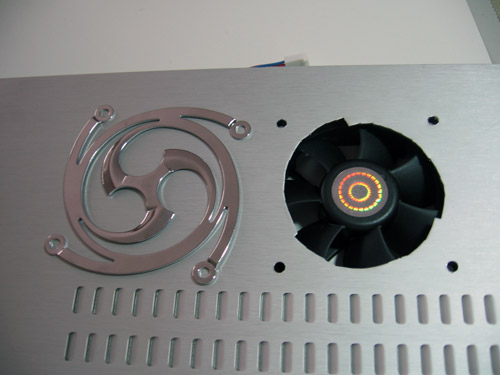
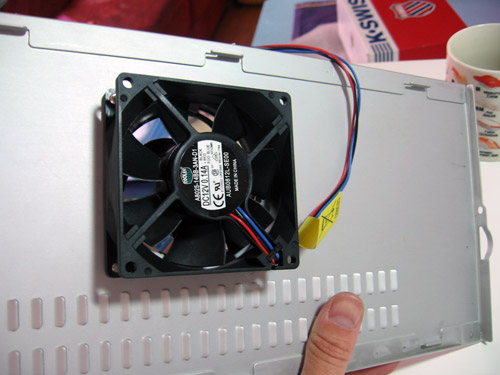
So I had to figure out to mount this fan on the inside of the case. It had to mount on one of the side panels with a grill on the outside to protect from the fan and cover the cut-out.

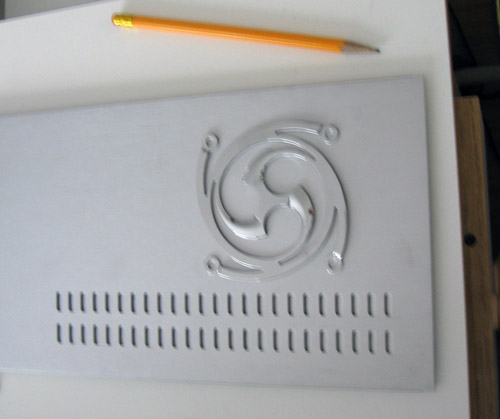
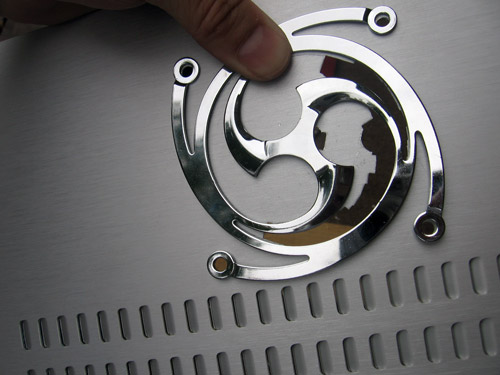
After getting a good idea where the fan would fit, I laid the grill on the outside to make sure I could mark the drill and cut-out lines well.

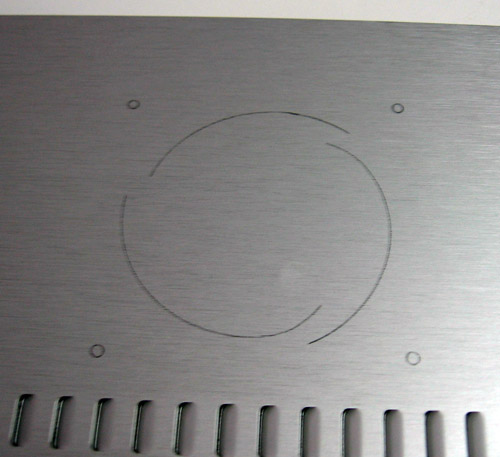
I drew the lines and checked them 3 times. My father always says, “Measure twice, cut once.” and he’s right. If I messed up the outer case, it not like I can run to the hardware store for another one.

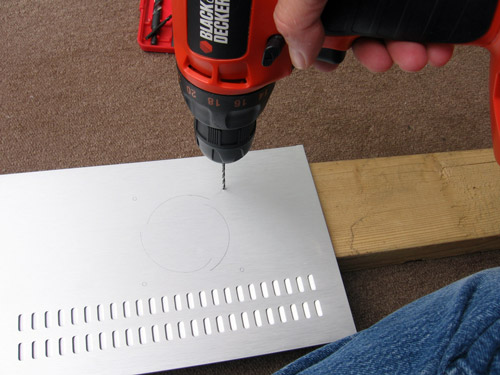
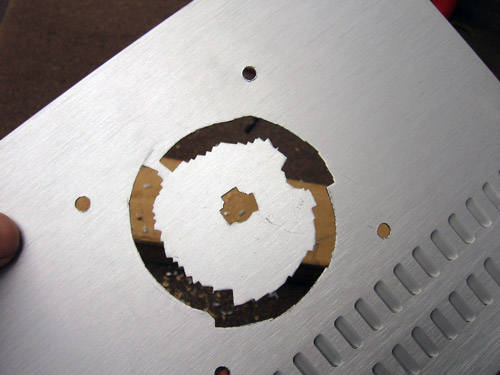
Next I drilled the screw holes. That allowed me to keep checking on the cut-out as they are the point of reference. Note the scrap lumber underneath to get a clean hole as I drill through.

Now a pilot hole for the nibbler was drilled near the where I needed the edge of the cut-out.
What’s a nibbler you ask? Well, it’s a special tool for cutting out bits of metal. Bascially takes little bites out of metal. Mine is tiny and only takes about 1/8″ by 1/4″ bites out of aluminum or thin steel. Good for precision work.

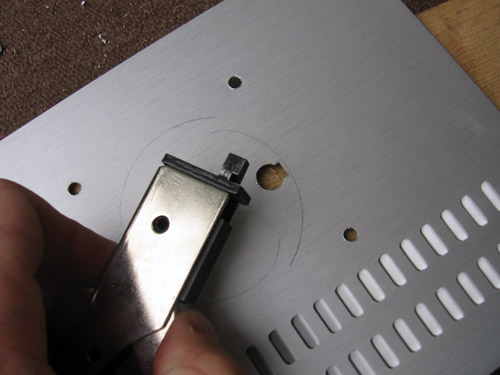
Once the hole there, I can place the nibbler inside it and start. You can see how I can track the line to nibble by just watching the top follow the cut line.

Again, be very careful not to make a mistake, I repeatedly compared the grill to the hole I was cutting out.

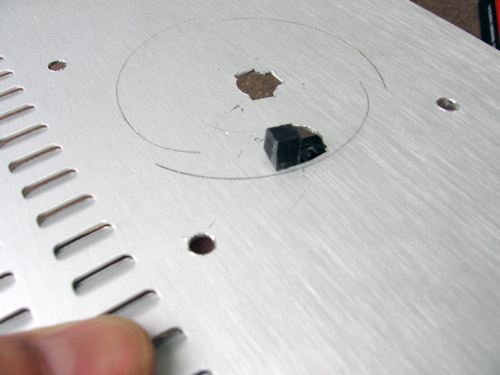
This is the hole only a few nibbles before completion. You can see a few of the cut-out bits on the ground. You need to be sure to vacuum these up. They are sharp and can cut feet easily, whether they human or canine.

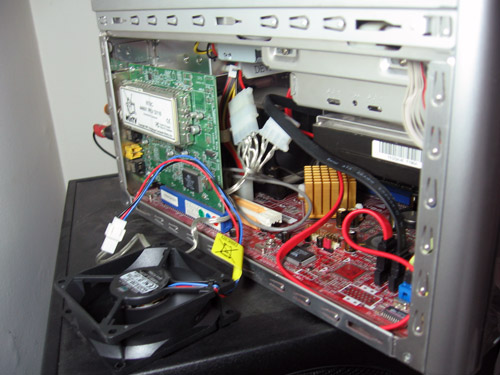
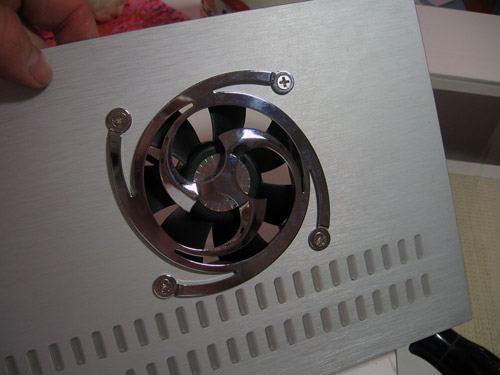
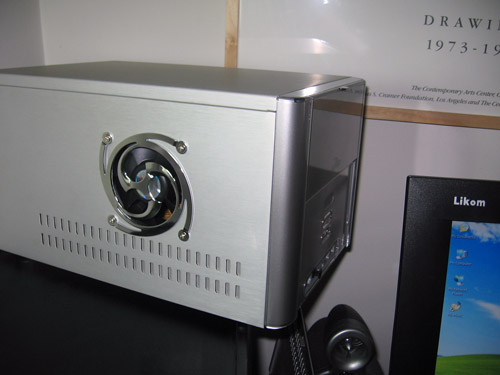
Here is the fan in place, behind the side panel with the grill ready to get screwed together.

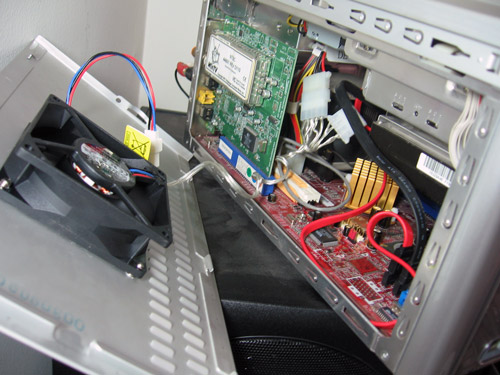
Once in place, the fan is ready to go.

Here is the grill in place as well. Looks pretty good, eh?

The power is plugged into the fan, and I’m ready to close up the case.

Last step was checking for Michele’s approval. She thought it looked nice as well.
Project complete.
If you want to try it yourself, it’s fairly simple. The keys are having the right stuff (fan, grill, and a nibbler) and taking your time. Rushing the nibbling or trying to use a makeshift tool like a file instead will to disaster.

What the…

In the last week, I’ve gotten a half dozen emails about advertising on Cruftbox and three different headhunters called me to offer jobs.
Wha? I am simply not that in demand. My unhealthy fascination with junk food alone should scare most people away.
What happened? Did someone post me on a milk carton or a bathroom wall?

Tube Radio

Last weekend, we helped our friends with their garage sale. They advertised and set up the sale. We brought over our crap, err, our fine pre-owned items and helped out with the sale and watching the kids.
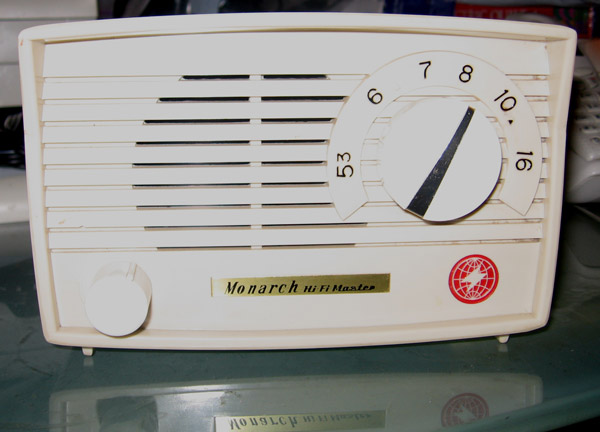
In the middle of everything was this fantastic item.


What’s so special about this radio? Looks like a simple AM radio to most, but this ia actually a tube radio.

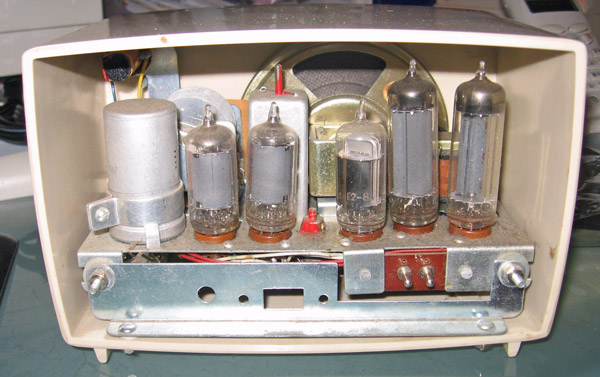
Sure enough, this is a 5 vacuum tube model AM radio from the early 60s. An explanation is in order. Back in the early days of electronics, vacuum tubes we the key to all modern innovations from radio and TV to amplification of signals.
Like the sound of electric guitars and the speed of microwave ovens? Thank vacuum tubes.
People in their 30s and older will likely remember TV commercial that told you to when your TV broke, you could bring the tubes from your TV for easy replacement. They had special kiosks at the supermarkets for the testing of the tubes.
Vacuum tubes have mainly been replaced by transistors in almost all uses. A few niche markets remain, like broadcasting and audio enthusiasts, but by in large it’s a forgotten technology. The ‘tube sound’ or ‘tube amp’ refers to the use of vacuum tubes in audio systems. Some people swear by the tube sound, but I can’t hear much of a difference between it and a good solid state (transistor) amplifier.
I had a brief education in tubes (or valves as the rest of the world calls them) in college in the late eighties. But they still fascinate me. There’s a brisk market on ebay for tube radios, but they aren’t worth a lot.
This radio was from the last generation of vacuum tube based radios that were meant to compete with the new transistor based radio arriving on the scene. Transistor radios were smaller and ran off of battery power, unlike the larger tube radios than needed to plug into the wall.

The radio works great. I adjusted the dial, listened to a baseball game on it, and was in heaven.
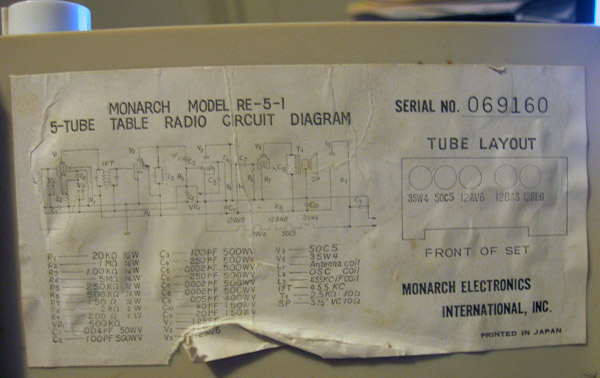
Best of course is that the schematic diagram and tube callout is on the bottom, ensuring that I can keep this running forever.

Time to learn

Zoe has been learning to play the Bass Guitar since January. I’ve been talking to my friend Paul about it and even discussed learning to play the guitar myself. Being a slacker, I’ve taken no action to actually move toward learning to play myself. Paul plays guitar and has mentioned it to me several times.
I was quite suprised this weekend when Paul presented me with my own starter guitar and amp.


This is an exceedingly generous gift and I’m quite excited to start playing.
I’ve been goofing around with it, but need to start learning. I searched on ‘learn to play guitar‘ on Google and was overwhlemed with sites. I have idea how to seperate the wheat from the chaff.
Any suggestions where to start would be appreciated!

12 Years

Twelve years ago, Michele Leah Keller and I were married in Ault Park, in Cincinnati, Ohio.
Since then we’ve experience the joy of our children and the death of grandparents. We’ve lived in Venice Beach, San Francisco, Singapore, Glendale, and South Pasadena. We’ve sleep in tents under inches of snow and luxury hotels.
Through it all, my wife, a crazy artist who loves fabric in ways I cannot concieve, buys strange objects off of ebay routinely, and regularly attempts to get me to eat leafy green vegetables, has been a loving partner to me in everything.


Happy Aniversary Sweet Pea!

Orb

Several months ago, I started playing around with software called Orb. Orb is meant to run in your home, on the computer you store your media (think your music files) on.
Orb allows you to access your music and video files from anywhere on the internet. Orb Networks software, running on your home computer, talks to the main Orb web site. When you are away from home, you go to the Orb site and log in. Orb then connects you directly to your home computer and allows you to stream the media.
Basically, you can listen to your music and watch your videos from anywhere.


So if I get a hankering for the Beastie Boys, I just log in and decide which album to play.

Or, if I’m looking for something more specific, you can search. In this case, I did a search on the word ‘baby’.
There’s a ton more you can do with Orb if you use all the features. With a TV tuner card, you can watch TV remotely ala Slingbox. You can look at photos and even access you content via things like a PSP.
There are a few limitations. The quality of playback is directly tied to your upload bandwidth. The wider your pipe, the better quality the streams. You need to leave your computer running all the time, not a problem if you have a media server already, but for some a concern. Lastly, Orb seemed to crash a bit. You have the capability to restart Orb remotely, but it shouldn’t crash so often that it’s noticeable.
Orb is windows only, so Mac users are SOL. Too bad really. Any integration of Orb & iTunes would be pretty neat for getting at all that iTunes music you bought.
I think Orb is a great product and points to the future where access to media you own will be available anywhere on any device.

Happy Pando

A few months ago I posted about my displeasure with Pando, the new file sharing software.
After I posted that, Yaron and Ramit from Pando emailed me hoping to get it working for me. It’s not often that company founders email you about weblog posts. They didn’t have an immediate fix, but after a few weeks, they asked me to try again. Sure enough, it got working and I was able to send files around. I’m talking big files that usually bork email. Zipping up half a dozens full res photos of the kids can run upwards of 10 to 15 megabytes. Pando handles up to 1 GIGAbyte payloads.


From what I can tell, when you send a file via Pando, you are uploading it into their distributed content delivery system (a bunch of servers all over the internet). The recipient gets and email telling them they have a Pando delivery. Once they install the small client it begins a quick download of the file. I think they are using a bitorrent method to download rapidly. I don’t think they are storing anyone else’s content on my computer.
I’m not sure how Pando intends to make money. Ads maybe, or a tiered service with a free entry level? Who knows, with Bubble 2.0, it might always be free.
In any case, Pando appears to be working well now and is quite useful. Give it a try and send me some cool stuff.