I’ve been reading about neat ideas people are trying with the AT protocol, the tech behind Bluesky.
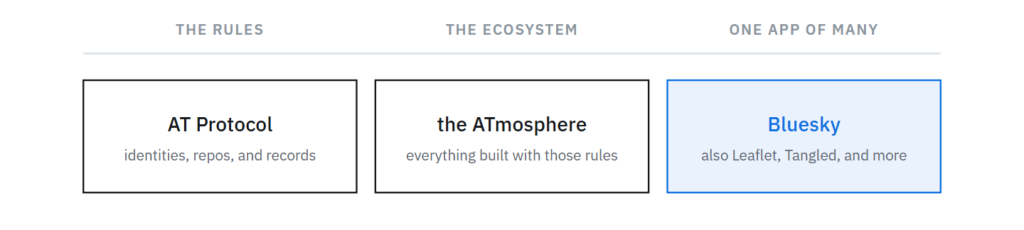
For a bit of clarity, AT Protocol is the set of rules for how identities, repos, and records work. The ATmosphere is what people call the ecosystem on top of it. Bluesky is one app on the ATmosphere, and there are many others.
ATmosphere is not a blockchain. There’s no ledger. It’s more like a GitHub repo that you can control and move. In fact, on the ATmosphere, your data is referred to as your Repo. The funky DID string is your identity on the ATmosphere, which can point to your personal repo of data. The key idea behind this is that you can move your data around without having to ask any permission of anyone.
With that context in mind, in the past I’ve seen posts with View Publication on them and wondered what it was all about and if links to my weblog posts could appear this way.

I looked into the existing WordPress -> Bluesky plug-ins, but they are all focused on auto-magically posting to Bluesky when you Publish a WordPress post. Good for a news or newsletter site, but not what I want at all. Typically I publish first, and then post on social media later with the blurb and link at a time I choose.
The View Publication badging works on Bluesky by using standard.site.
standard.site is a protocol for an AT record you can publish about your site and about individual documents on your site. Kinda like registering a book with the Library of Congress.
There are a few hoops to jump through to get this working. First is making a site.standard.publication record that allows you to prove you control your domain. Second is creating a site.standard.document record of the weblog post to your repo.
Since nothing I could find did what I wanted, I worked with Claude to build a WordPress plug-in to do the setup and make it so when I posted a link to my weblog on Bluesky, it would display with the View Publication framing.
I call the plug-in Controlled Atmosphere.
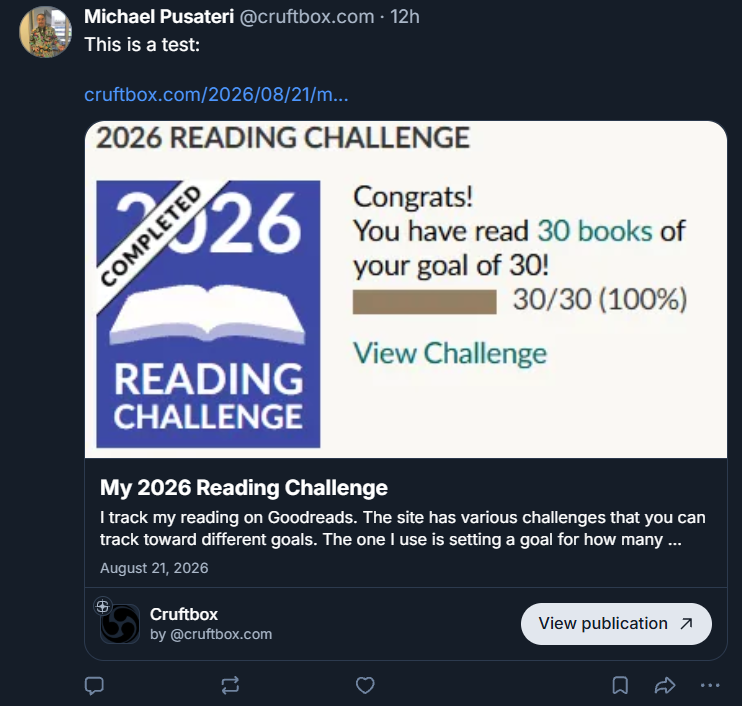
What matters is the “View Publication” button at the bottom,
showing the standard.site framing working.
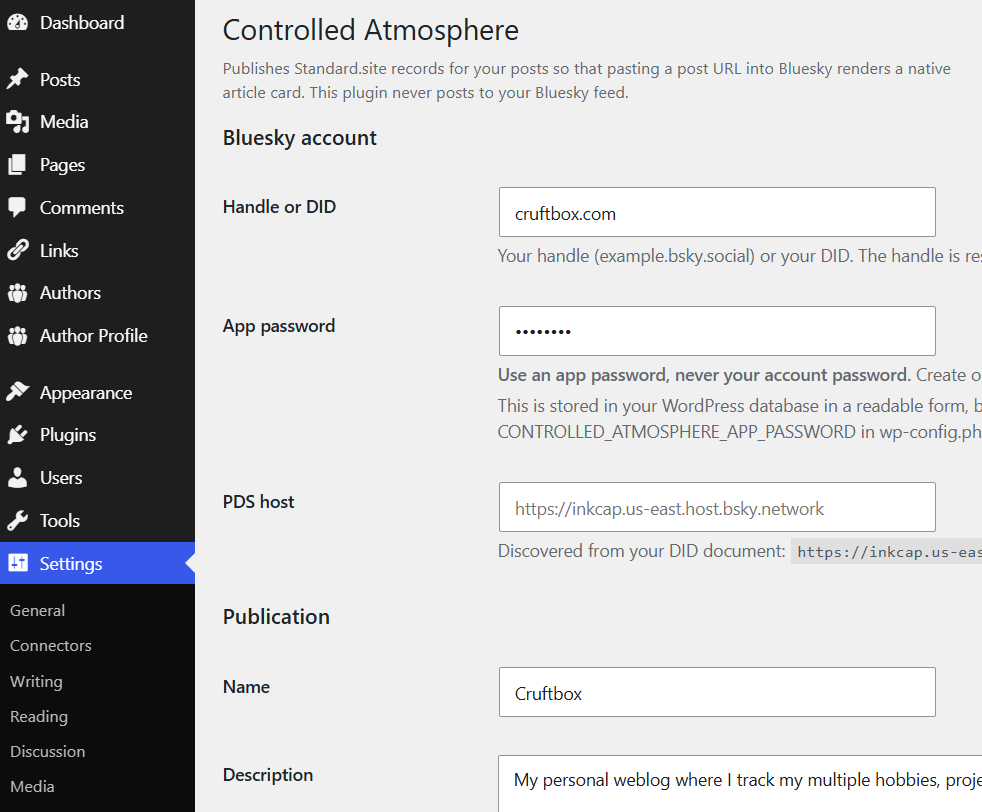
The plug-in setup is fairly simple, the most difficult aspect is getting an App Password for the plug-in to use. Currently you can set one up under Settings -> Privacy and Security -> App passwords.
There are a few changes the plug-in makes, adding two verification files to allow Bluesky to verify you control your site using /.well-known/. This shouldn’t be an issue for most, but if you run into an issue, consult your favorite LLM to get some help.
Once the plug-in is running, when you publish a new post, a record of the post is created auto-magically, so that Bluesky can match it up and display the View Publication framing. Your post will have a tag that points to the ATmosphere record.
This plug-in is for people who DON’T want WordPress auto-posting to Bluesky. If that’s what you are looking for, Automattic’s Atmosphere plug-in is what you want.
Code is on GitHub at https://github.com/cruftbox/controlled-atmosphere
Even with a simple project like this, I learned a tremendous amount about how Bluesky and the wider ATmosphere ecosystem works. The details can be complex, but the concepts aren’t once you pull back the curtain.