Trying to resolve a BIOS boot issue.
This didn’t fix the core storage corruption issue, but I did get the ability to boot into BIOS again.
Category: Weblog
firstlight – you can’t doomscroll a piece of paper
I’d reached the point where reaching for my phone first thing in the morning felt obviously bad and I just couldn’t stop. The scroll wasn’t even rewarding anymore, it was a reflex. I wanted a different default.
You can’t doomscroll a piece of paper.

We still read a physical newspaper in the morning, because I’m old and old habits die hard. Newspapers are great for reading deeply and discovering things outside your algorithmic bubble, but they’re terrible at surfacing the specific information you actually care about day-to-day.
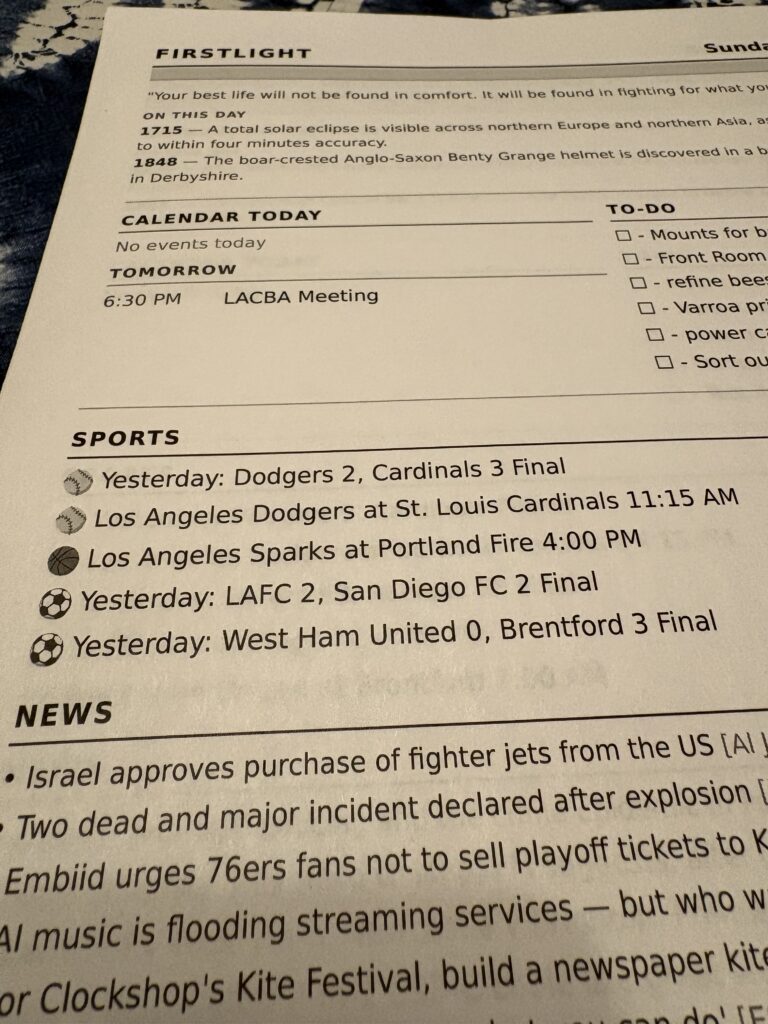
I built a small app called Firstlight. Every morning, before I wake up, it prints a single page of the stuff I actually want to know: the weather, what’s on my calendar, last night’s scores, a few news headlines, and my to-do list.
With a piece of paper I can make notes or check things off my todo later in the day.
A printed page is a nice default.
It doesn’t notify me. There are no pop-ups. It’s the information I chose.
It also turns out to be the right amount of information. No one needs the entire internet hitting them at 6AM.
The page reflects what I want to see each morning, and the code is simple enough to adapt to your own preferences.
Here’s what’s on mine:
Weather – today’s forecast, hourly breakdown, air quality, and a heads-up about rain in the next few days
Calendar – today’s events from Google Calendar
Sports – last night’s scores and today’s game times from teams I follow across MLB, NFL, NHL, WNBA, NBA, NWSL, MLS, and the Premier League
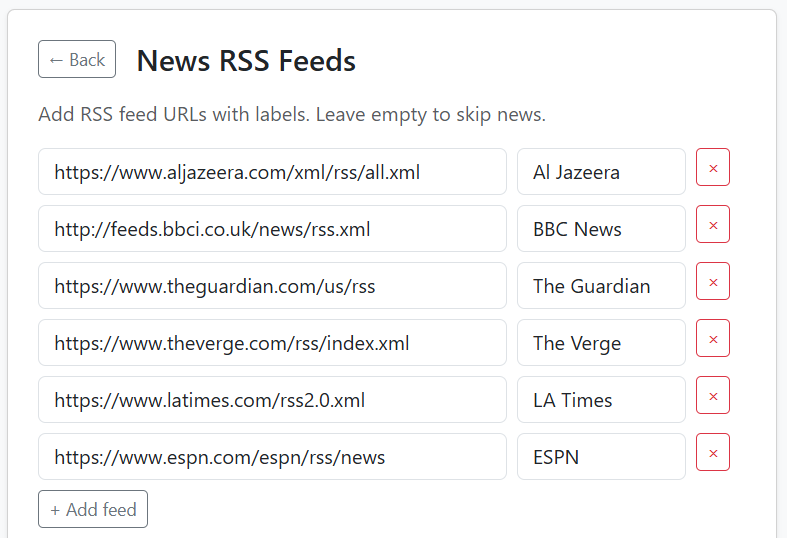
News – headlines from a handful of RSS feeds I picked
To-dos – a short list you can manage in the web UI or point to a text file somewhere
Daily – A quote and an “on this day in history” entry, for fun

Everything sources from free APIs that don’t require an account: Open-Meteo for weather, ESPN for sports, ZenQuotes, Wikipedia, plain RSS. Google Calendar is the one optional integration that needs OAuth, and you can skip it entirely.
Firstlight runs in Docker on whatever always-on machine you have lying around — a NAS, a home server, a Raspberry Pi. In my case it’s a QNAP NAS. Once a day, a scheduler inside the container fetches everything, renders a single-page PDF, and sends it directly to my network printer over IPP. No drivers, no cron, no external services.
There’s a web UI for previewing the digest, managing to-dos, browsing past digests, and reprinting on demand.
Setup is a 10-step wizard in the browser. The only one with any real friction is adding Google Calendar, because Google’s OAuth process can be confusing.
Worth mentioning: I wrote essentially none of this code by hand. The whole project was built using Claude Code with the Superpowers plugin, which adds structured workflows for brainstorming, planning, TDD, and debugging. The original design spec and implementation plan are checked into docs/superpowers/ if you want to see how the sausage was made.
I mention this not as a flex but because I think it matters. This is the kind of project: small, personal, self-hosted, with no users to impress, that scratches a personal itch, that’s now genuinely easy to build. A few years ago I could have never built this myself.
It’s built for people comfortable running self-hosted things. You need to be okay with Docker, a terminal, and a config file. The wizard handles the actual setup, but if something breaks, a modern LLM coding assistant is surprisingly good at helping diagnose any issue.
Source is at github.com/cruftbox/firstlight.
The README walks through deployment for both generic Docker hosts and QNAP specifically.
If your phone has stopped feeling rewarding in the morning and you’ve got an always-on machine somewhere, give firstlight a try.
Trapping Small Hive Beetles in Diatomaceous Earth
Small Hive Beetles are pest to bee hives. This shows how effective using diatomaceous earth can be in beetle traps.
Year in Books – Goodreads Tool
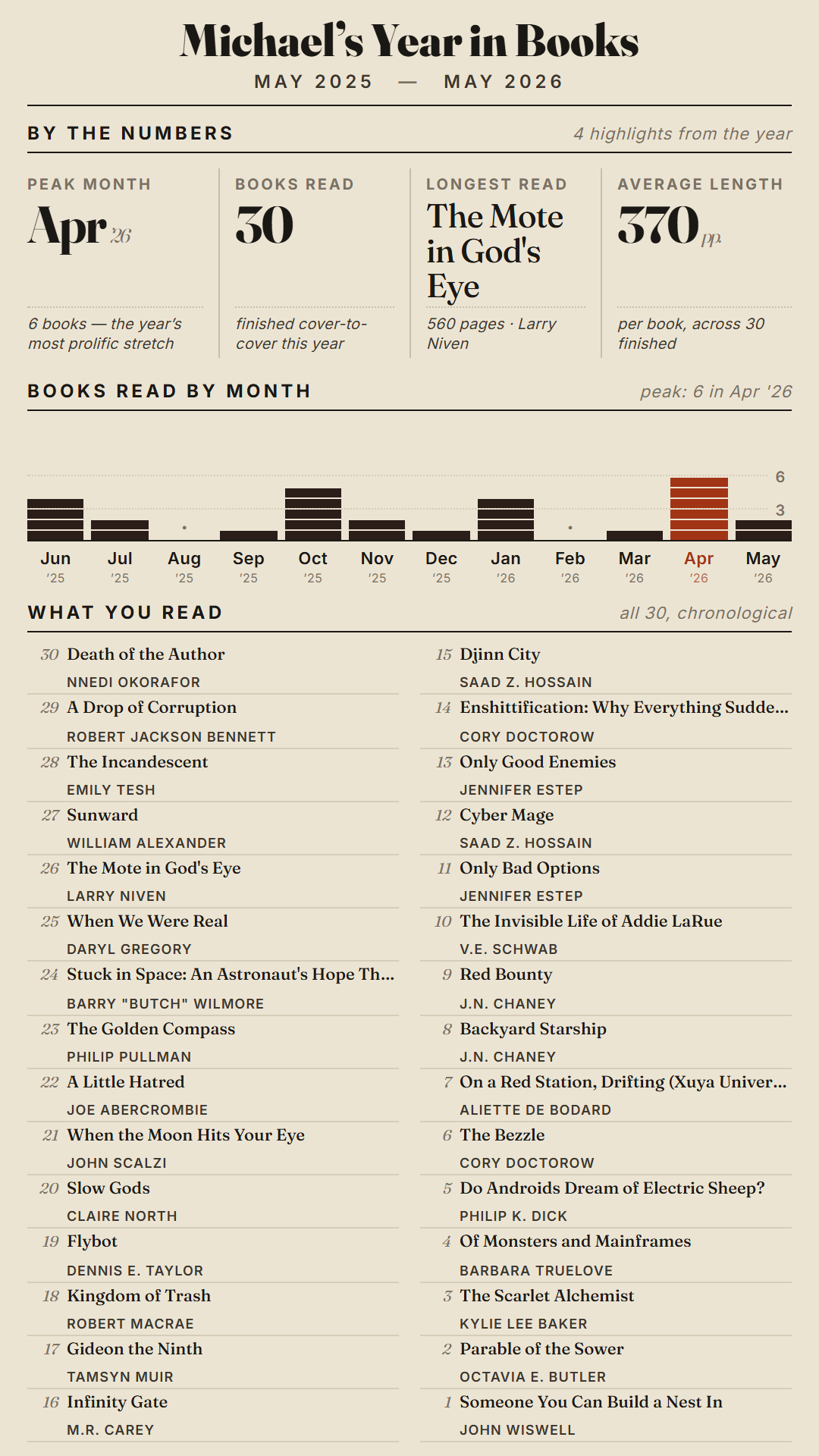
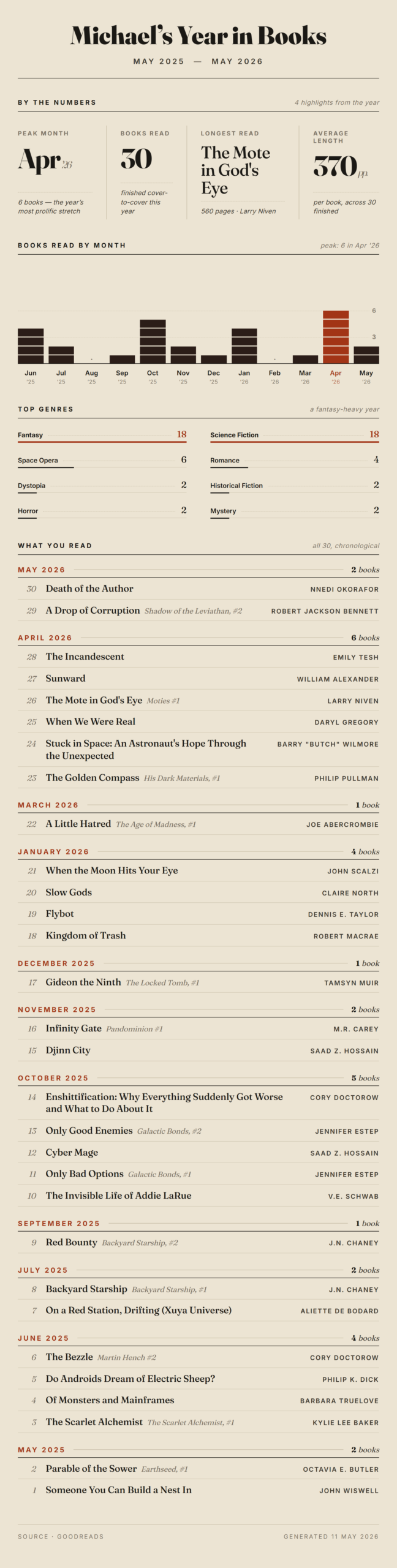
I like reading and use Goodreads to help me keep track of books I’ve read. Goodreads gives you a year-end summary, which is great, but it only shows up in December. I wanted something I could generate any time that looked at the last twelve months, regardless of time of year.
So I built Year in Books, a new feature in my goodreads-tools project. It pulls your Goodreads read shelf via RSS, windows the last 12 months on a rolling basis, looks up genres through the Google Books API, and renders everything into nice graphics.
The output comes in four flavors: straight HTML, a PDF, a full-width web PNG, and a 9:16 social media PNG sized for Instagram, Bluesky, or Mastodon. HTML is generated and rendered into the PDF and PNGs. There’s a simple web UI to download the various versions.
For my kind of brain, these kinds of stats are interesting. I can see how my reading lines up with other events in my life.
This layout is what I like, but the code is here to modify as you might see fit:
https://github.com/cruftbox/goodreads-tools


Using IKEA PÄRKLA storage cases to hold bee hive boxes
I saw this on the internet and decided to give it a try.
Inexpensive storage cases that just happen to fit deep and medium bee boxes.
Phosphor – Matrix-style digital rain
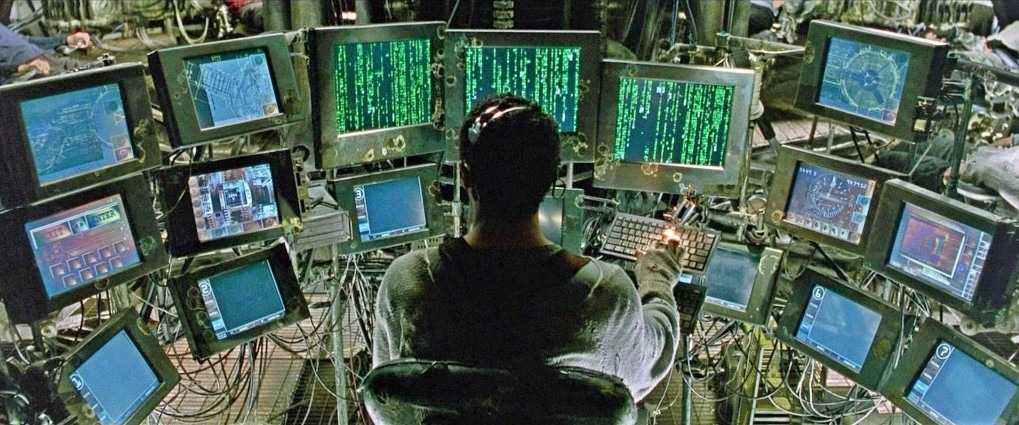
While walking the dog I wondered how hard it would be to recreate the Matrix digital rain, a visual that’s lived rent-free in my head since 1999.
1999 seems like both yesterday and a million years ago.

Turns out it was pretty easy for Claude. With a brief description prompt of what I wanted, it got to work. I added the idea of occasional RGB ‘threads’ falling through for a little flourish.
I think using the superpowers agent harness was a bit of overkill, but it helped me learn the process.
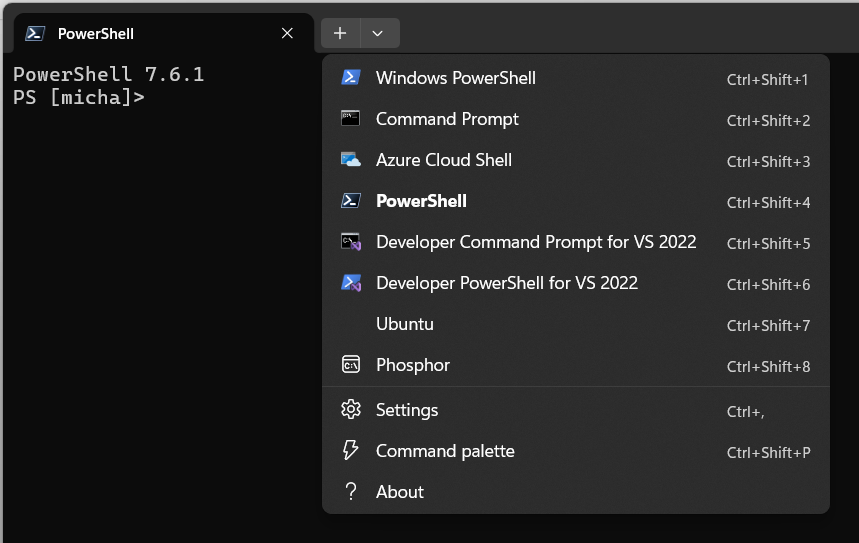
My desktop computer runs Windows, so Claude decided to make a .Net executable that runs inside terminal. I don’t even have to run an app. It’s just a pulldown inside of terminal.

An idea while walking the dog turned into a working app before lunch.
Creating things on a whim feels a little magical.
The code is up at Github: https://github.com/cruftbox/phosphor
Cruftbox Archive Analysis
My friend Matt did an analysis of his longtime blog. Looks amazing.
I’ve been blogging since 2000. That’s an effing long time.
I exported the entire archive and asked Claude to help me build a tool to generate something similar.
Like Matt and others the arrival of Twitter and other microblogging made for a quiet era. The blog was rebuilt in 2024 thanks to Greg.
Clearly I’ve been posting more since then.
Cruftbox: My Box of Cruft
Archive analysis — 2000–2026
Cruftbox: My Box of Cruft has been publishing since 2000. Over 27 years, 1,762 posts have accumulated 365,517 words. The typical post runs just 119 words. At its most prolific, March 2003 brought 48 posts in a single month; recent years are quieter, but the archive has never gone fully dark.
Posts Per Year
Publishing peaked in 2002 with 335 posts and has settled to 23 in 2026. The early years dominate — see the golden era note below.
Average Post Length Per Year
Post length has never grown consistently — average post length has ranged from 18 words (2025) and 904 words (2016). Most years cluster between 60 and 150 words, reflecting an archive that has always leaned toward short-form writing.
Posts by Day of Week
Mon is the most active publishing day (303 posts); Sat the quietest (194). Weekdays average 258 posts each; weekends 234 — the gap is smaller than you might expect.
Time of Day
Two peaks dominate: 9pm (147 posts) and 9am (139 posts). The pattern points to writing before the workday or after it — the midday hours are notably quiet by comparison.
Most Prolific Weeks
The single busiest week was 2002-W19, with 17 posts in seven days. All 20 of the top 20 most prolific weeks fall before 2010 — that pace has never been matched since.
The Halloween Anchor
7 of the 10 longest posting silences ended in October or November. The blog may go quiet for months at a stretch, but Halloween reliably brings it back. The longest gap: 287 days from January 2019 to October 2019.
| Days silent | Gap from | Resumed | |
|---|---|---|---|
| 287 | Jan 2019 | Oct 2019 | ← near Halloween |
| 279 | Jan 2014 | Nov 2014 | ← near Halloween |
| 256 | Feb 2022 | Oct 2022 | ← near Halloween |
| 249 | Jan 2015 | Oct 2015 | ← near Halloween |
| 232 | Mar 2021 | Oct 2021 | ← near Halloween |
| 224 | Nov 2019 | Jun 2020 | |
| 211 | Jan 2024 | Aug 2024 | |
| 208 | Aug 2020 | Mar 2021 | |
| 194 | Apr 2023 | Oct 2023 | ← near Halloween |
| 179 | May 2018 | Oct 2018 | ← near Halloween |
Embedded Videos
Vimeo leads with 80 videos across 122 posts, followed by YouTube (66). 2008 was the peak year for video embeds; TikTok shows up almost entirely in the most recent posts.
Videos per year by platform
Stacked total per year
Top 10 Longest Posts
The longest post — “My Years as a Metaverse Warlord” (3,319 words, 2023) — stands well apart from the rest: the typical post here is just 119 words. Most long-form entries are annual reference posts or personal essays.
| Title | Date | Words | |
|---|---|---|---|
| 1 | My Years as a Metaverse Warlord | 2023-04-19 | 3,319 |
| 2 | The Long, Long Arm of Google | 2007-10-09 | 2,546 |
| 3 | A year in the empty offices | 2021-03-10 | 2,000 |
| 4 | Year Two in the empty offices | 2022-02-17 | 1,898 |
| 5 | Notes from SXSW 2003 | 2003-03-13 | 1,761 |
| 6 | Two months with a Chevy Bolt | 2017-06-30 | 1,714 |
| 7 | Pulp Fiction | 2004-10-20 | 1,614 |
| 8 | The sad state of smart homes | 2026-04-08 | 1,595 |
| 9 | A hard summer | 2025-12-30 | 1,583 |
| 10 | Two months with a Tesla Model Y | 2020-08-12 | 1,549 |
It’s a bit humbling to realize that twenty-seven years of my life can be distilled into a few hundred tokens and a series of vector embeddings. Claude managed to find ‘consistent themes of technical curiosity,’ which is a very polite way of saying I’ve been complaining about broken APIs and proprietary cables since the Clinton administration.
Twenty-seven years of blogging and my most consistent behavior is apparently disappearing every January and crawling back for Halloween like a vampire who forgot what month it was. At least I’m reliable about something.
With video now the dominant form on social media, a lot of my recent posts are just embeds of videos I’ve made. I do enjoy making videos. It’s powerful storytelling, which is a strange thing to say about a clip of me opening a beehive.
Looking ahead to the next quarter-century of Cruftbox, I’ll keep writing posts, even if they are basically just long tweets.
I regret nothing.
Bee Hive Inspection – April 14th, 2026
I hadn’t been able to check in on the hives for a few weeks.
Turns out the Green Hive decided to swarm while I was out of commission.
Fixing an old Miele vacuum
The sad state of smart homes
“A camel is a horse designed by committee.” – Sir Alec Issigonis
I am enamored by the idea of the smart home. Devices working to make life a little easier.
Over the last few years, I’ve been adding smart home devices to our home, mainly for simple purposes like turning the porch lights or Christmas lights on and off automatically. Nothing particularly complicated. For the most part, Amazon’s Alexa is up to the task to manage these things, despite the frustrating software interface. I can speak commands and it mostly works, hang ups typically being a need to reboot a smart switch.
We’ve replaced our old ceiling fans with new ones with LED lights and remote control that don’t wobble. Inexpensive and easy to install, the one drawback is that they don’t talk to any general smart home software. Alexa can’t control them, nor can Google Home or Apple Homekit. Not the end of the world, but a bit of a splinter in the mind for me.
Because I’m a nerd, I have been following podcast discussions about smart homes and how interoperability can be addressed. I’ve read about Matter (the new smart home protocol) and Thread (the new smart home networking method), but never dove into the details. My assumption was that the Connectivity Standards Alliance (CSA) who standardized Matter & Thread had done a good job and it simply would take time for actual products to catch up.
This was a poor assumption.
I’m an engineer. I don’t have qualms about dealing with networking issues, configuring software, and reading the instructions.
Optimistically, I started looking into how I might control the ceiling fans with Alexa.
No easy path, but there was a slightly twisty one. There are small Bluetooth proxy devices, like the M5Stack ATOMS3, that can emulate the commands used to control the fans.

Unfortunately, Alexa won’t talk directly to the Bluetooth proxy, but open source software called Home Assistant can.
Undaunted, I set up Docker containers to run Home Assistant on our home NAS server and the bridge that allowed it to talk to Alexa. No simple task, I was grateful to Claude to help me through the configuration steps. Home Assistant is unfortunately a bit user hostile and not for the weak of heart. If words like ‘container’, ‘Docker’, or ‘command line’ are unfamiliar to you, do not try using Home Assistant.

The Bluetooth emulation works and saying the specific incantation to Alexa does indeed turn the ceiling fan and light on and off. I take this as a good sign as to the state of smart homes.
Emboldened, I started thinking about trying the new smart home devices from Ikea. They are super cheap and say they work with Matter & Thread. The $6 smart button seemed like a great deal to control a lamp I had built that ran off a smart plug.

I followed the instructions, using the Alexa app, with no luck. It just went in circles. Wouldn’t join the device.
Optimistically, I went into Home Assistant to add the button. No luck. The same kind of endless loop.
Frustrated, I finally read up on the technical underpinnings of Matter & Thread, and to my horror, saw the disaster the CSA had created.
As an engineer, I understand the urge to build things with elegance and correctness. But the world is rarely an elegant place. I learned the hard way that the best is the enemy of the good.
The CSA tried to be smart, elegant, and correct to the detriment of anyone actually trying to use Matter & Thread.
To be clear, many of these issues are implementation problems rather than flaws in the underlying specs, but for users, that distinction doesn’t matter.
IMHO, there are three major failures of the design. They are ‘one-time’ QR code use, IPv6 for Thread, and Bluetooth commissioning.
‘one-time’ QR code use – In the quest for ultimate security, the QR codes printed on Matter devices can only be used basically one time. Well, technically they aren’t one-time use, but effectively one-time use in practice due to fragile commissioning flows. If something goes awry during the first use, the QR code might as well be invalid.
The use of a one-time cryptographic key may be great for spy tradecraft, but for the average person it is maddening. In theory you can do a factory reset, and try again, but this is nonsense for the average person. They will just assume the device is defective.
Heaven help you if the QR code gets lost or is unreadable. If the code is lost and the device isn’t already paired, it is permanently bricked.

IPv6 for Thread – The Thread networking stack will only run on IPv6. IPv6 is the next generation of how computers and electronic devices identify themselves to each other. It’s exceedingly complex, obtuse to even most technical folks that don’t do network sysadmin on a daily basis. Great in theory, but doesn’t account for the fact that not everything running in people’s homes are configured to run IPv6.
The spec assumes a ‘flat’ network where every device has a seat at the table, ignoring many of us early adopters running containerized environments where ‘Network Address Translation’ (NAT) is a hard wall that Matter simply cannot climb. Even in my case, running Home Assistant in a Docker Container on a NAS server is broken as the firmware doesn’t allow IPv6 traffic to the containers. Swapping my NAS out to make the Ikea button work is not really an option.
A user shouldn’t need to understand Prefix Delegation or SLAAC just to install a $6 button. IPv6 is great in concept, but no one is running out of IPv4 addresses in their home. Without even a fallback method to use IPv4, this is a bit of an overreach. Thread runs on IPv6 internally, but it’s supposed to be abstracted away from the user.
The CSA spec assumed a well-functioning Thread Border Router ecosystem that doesn’t exist yet. In a normal home setup, you shouldn’t need to know, or care, that IPv6 is even involved. Imagine your non-technical friends and family trying to set up IPv6 over the phone with their local ISP.
Bluetooth commissioning – Despite all of the CSA’s forward looking decisions, they amazingly decided that the only way to actually commission and activate a Matter device was to use Bluetooth (BLE standardized in 2010) to do this final step and join the device to the Thread network.
The use of Bluetooth is intended to ensure physical proximity, a ‘digital leash’ to prevent remote attacks. But in reality, Bluetooth is slow and hinky. The cryptographic ‘handshake’ required by Matter can take up to a minute, which in modern UX design is an eternity. If a user navigates away or their phone screen locks, the Bluetooth connection snaps, the link dies, and the device enters a zombie state that only a factory reset can fix.
We are using a protocol standardized in 2010 to secure a future that hasn’t arrived yet.
In theory the phone is the optimal device for this, but in reality, no one wants to stare at a spinning icon. While existing smart home hubs may have Matter & Thread enabled, only the very latest models have Bluetooth as well.
Amazon claims they have millions of Matter-ready devices, but they don’t mention that most of them are deaf to new devices. While most Alexa devices have Bluetooth for music, only the very latest models have the ‘Matter Commissioner’ software enabled to use that radio for setup. Eero routers have Bluetooth, but only to talk to other Eero devices, not Matter devices. Ironically, Eero is a Thread Border Router, but unable to commission Matter devices onto Thread.

Taken individually, these design failures can be worked around by the tech savvy, but the combination of all three creates an almost impenetrable smart home fortress, one that you can’t add devices easily. Yes, it’s quite secure, but you can’t do much with it.
Some reading this may take issue and respond with anecdotes about how it’s easier with their preferred smart home hub system, or that they have never encountered issues, or that I just need a Zigbee bridge. This fallacy doesn’t hold up when looking at the abysmally high failure rates of Matter device commissioning.
Hope on the horizon?

The CSA has been forced to recognize these issues and is planning some improvement. The ‘one-time’ QR code and Bluetooth need looks to be replaced by NFC onboarding (think of it like ‘tap to pay’ tech). The standard for NFC is finally set, the phone in your pocket already has NFC, but most smart home devices don’t include the NFC chips to support it yet. An improved Thread router specification will allow Thread to talk to IPv4 devices in your home.
This is hopeful, but for people buying Matter devices now, they are buying devices that will be permanently orphaned in the future, unable to meet the new, upcoming standards.
Standards work is long, boring, and frustrating. I’ve spent days in those meeting rooms arguing about Java usefulness, video format frame rates, ECMAScript use in ATSC standards, and other boring technical topics. I get it that the CSA meant well, but they lost sight of the target, which is simplified installs for the average person at home.
I’ll end my rant here.
Unrelated, does anyone want a couple free Bilresa buttons?